
See where to start
Review your assigned workload in an explained order, using its priority, active SLA information and response state.

Work Next for Freshservice
Freshservice
Bring priority, SLA and customer-response signals into one ranked view of the tickets assigned to you. See why a ticket needs attention, then open it in Freshservice and get to work.
In Marketplace reviewNot yet available to install
Recorded product demo
See how Work Next 0.5.1 helps a signed-in Freshservice agent choose from their assigned tickets, understand each ranking and use focused views. The demo uses controlled test data and includes a separately captured native ticket destination.
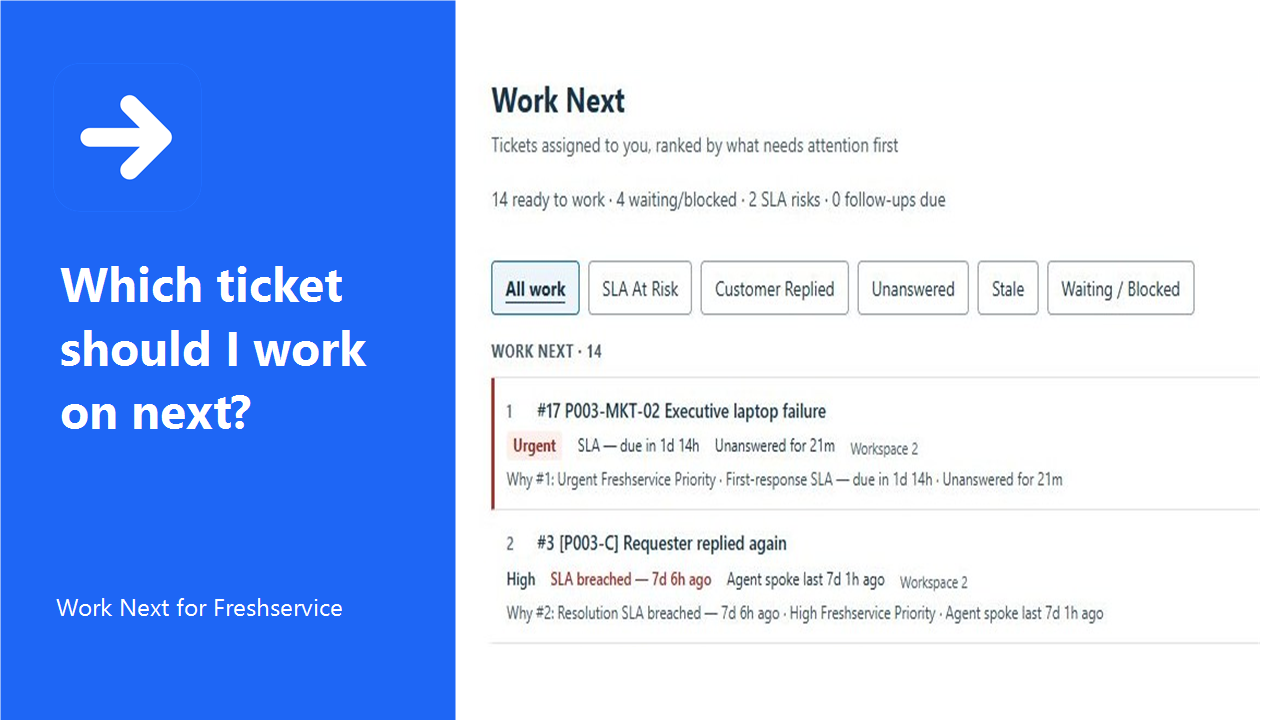
Work Next helps Freshservice agents decide what deserves attention next, and understand why.
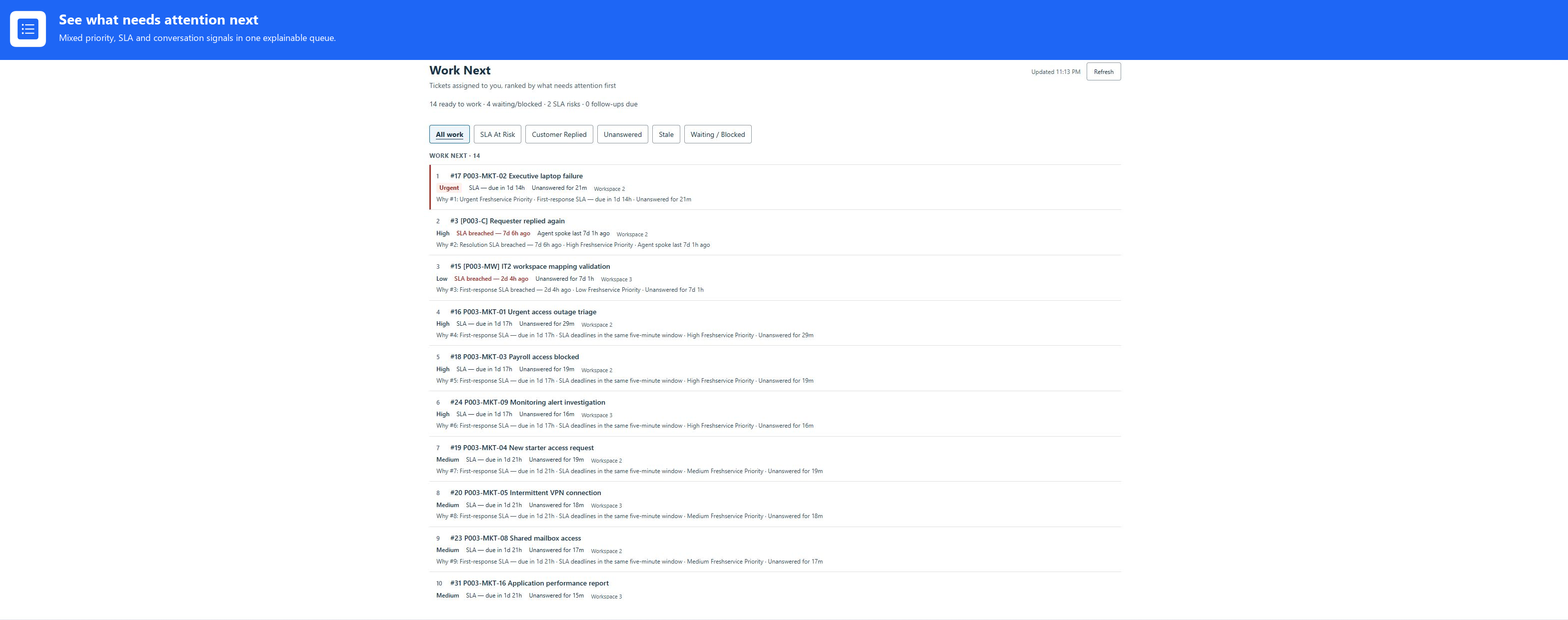
This is the agent’s assigned workload in one ranked view. Fourteen tickets are ready to work, four are waiting or blocked, and two currently carry SLA risk.
Every row keeps its Freshservice priority, SLA position, conversation state and workspace, together with an explanation of what is driving its rank.
SLA At Risk narrows the same queue to the two tickets that have already breached an active SLA. Unanswered highlights work where no public agent response has yet been recorded, while preserving each ticket’s overall rank.
Waiting and blocked work stays visible without being treated as ready to act. Here, four tickets are waiting, and no follow-ups are currently due.
Work Next provides read-only recommendations. Freshservice remains the system of record.
On screen: Open the native Freshservice ticket. Controlled test-ticket destination, captured separately; this is not a recorded queue-to-ticket click-through.
End card: Learn more at peztechsoftware.co.uk/apps/freshservice-work-next/. In Marketplace review. Not yet available to install.
Product screenshots
Focused presentation crops remove unused capture space while preserving links to the original privacy-reviewed evidence.
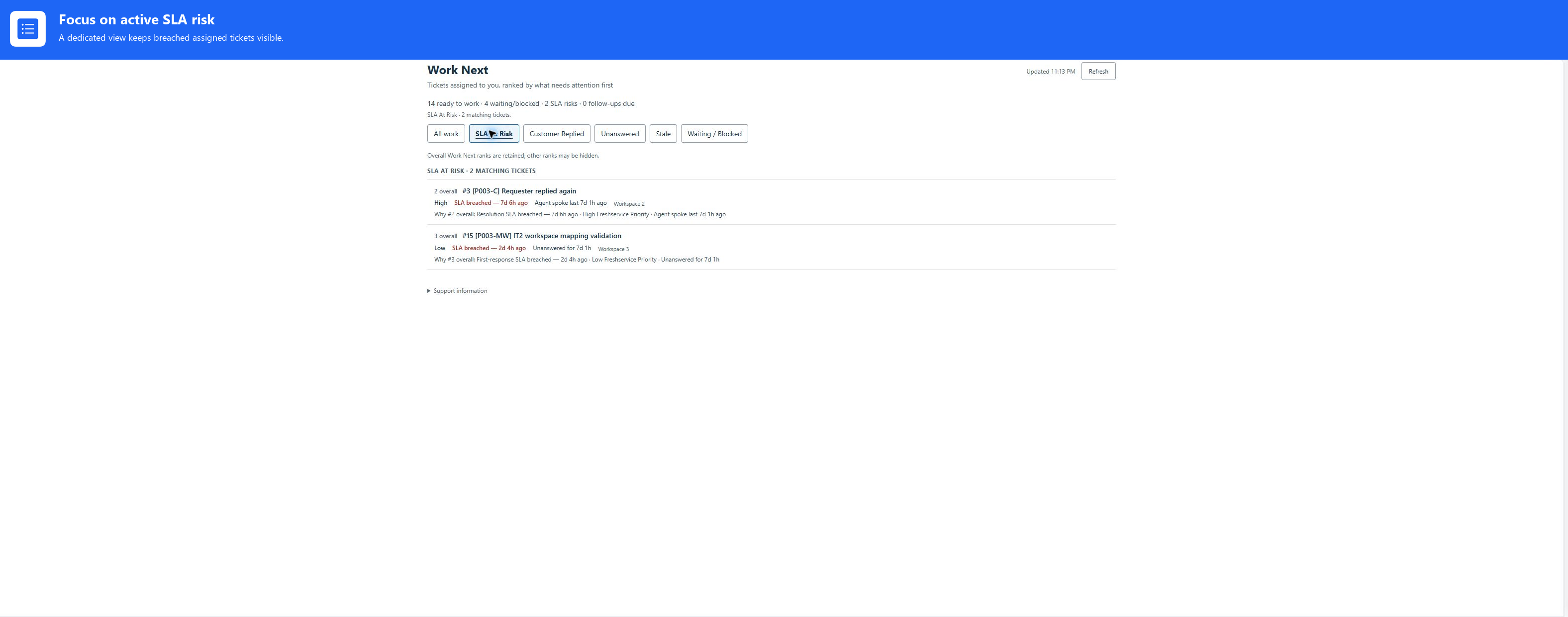
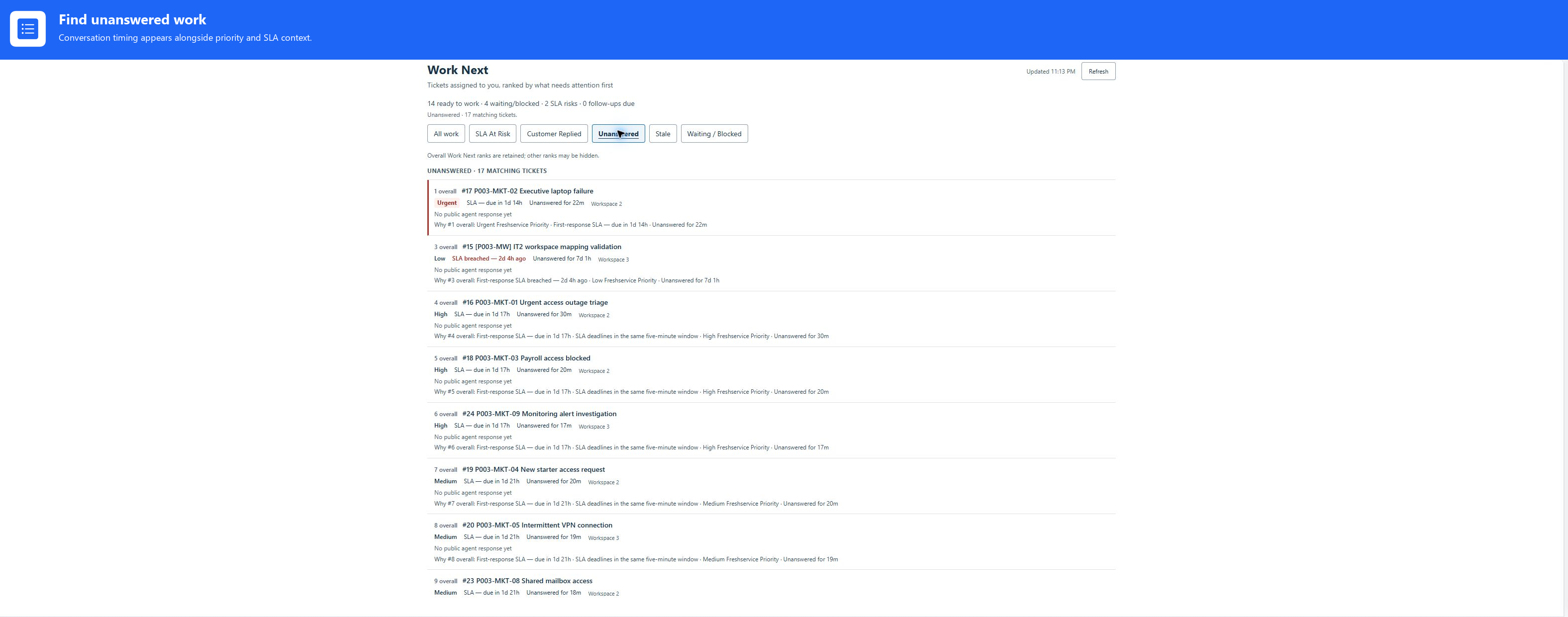
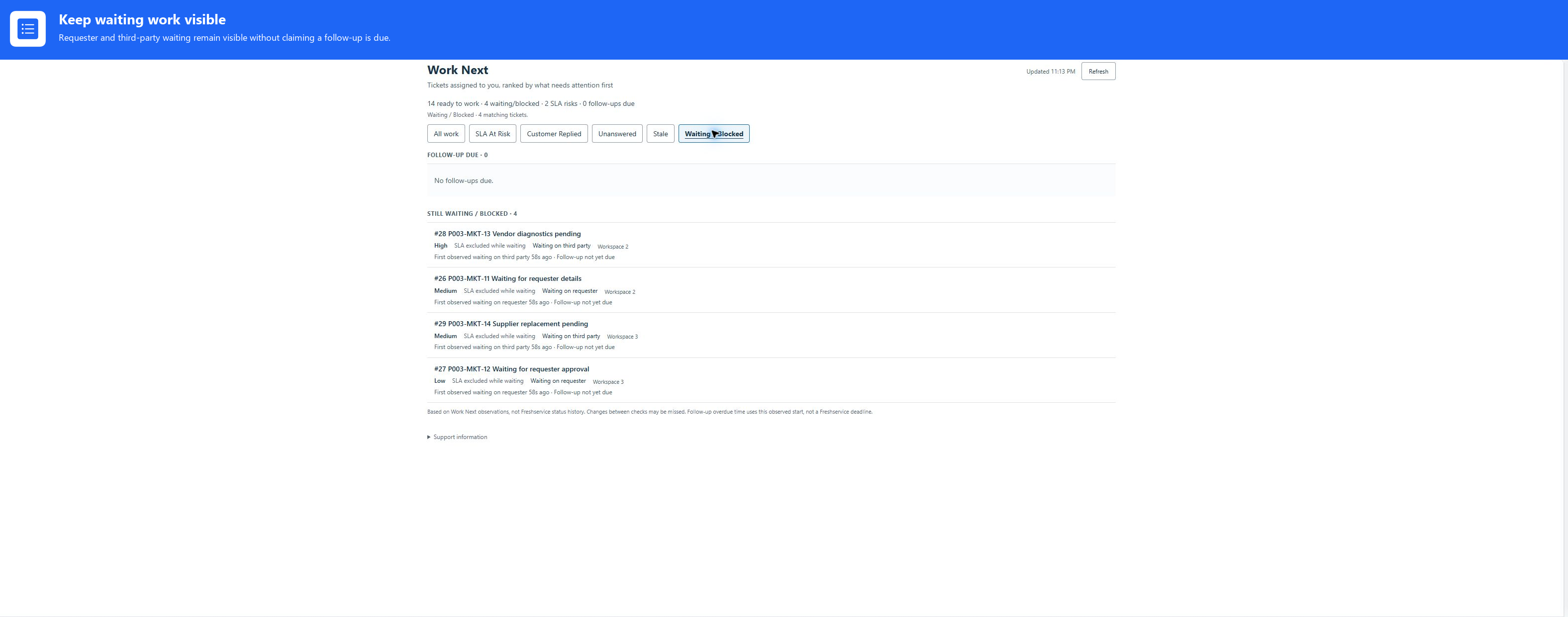
These are controlled synthetic records captured in the designated test tenant, not customer data. The focused images are presentation crops only; select any image to inspect its original privacy-reviewed capture. The media does not change Work Next release or Marketplace availability.
A deadline may be approaching, a customer may have replied, or a follow-up may be due. Work Next brings those signals together so you do not have to keep rebuilding the picture yourself.
Review your assigned workload in an explained order, using its priority, active SLA information and response state.
Choose All work, SLA At Risk, Customer Replied, Unanswered, Stale or Waiting / Blocked to review the same evaluated workload.
Review waiting work separately, with optional requester and third-party follow-up recommendations configured by your administrator.
Work Next recommends where to look. You open the native Freshservice ticket to respond or make changes.
It does not reply to tickets, send reminders or create private notes. It does not change status, priority or assignment, close tickets or guarantee SLA outcomes. Incomplete or stale information is labelled rather than presented as a complete answer.
Freshservice already provides lists and filters. Work Next combines several attention signals into an explained order and focused review views.
The initial release is for the signed-in agent’s assigned tickets, not a supervisor dashboard. For unassigned work and supervisory follow-ups, explore Triage Helper.
Not in the initial 0.5.1 release. Project Tasks and other successor features are separate development work, not available functionality.
Work Next is in Marketplace review and is not yet available to install. The planned launch price is £2 per agent per month. Final pricing and evaluation terms will be confirmed through Marketplace at launch.
Ask about availability at support@peztechsoftware.co.uk.