
Find work without an individual owner
Identify eligible tickets that remain unassigned, even when a group is selected.

Triage Helper for Freshservice
Freshservice
Give supervisors a focused view of Open and Pending tickets across their permitted Freshservice workspaces. Spot unassigned work, customer conversations waiting for a reply and stale follow-ups—with a reason for each ticket surfaced.
Launch in preparationNot yet available to install
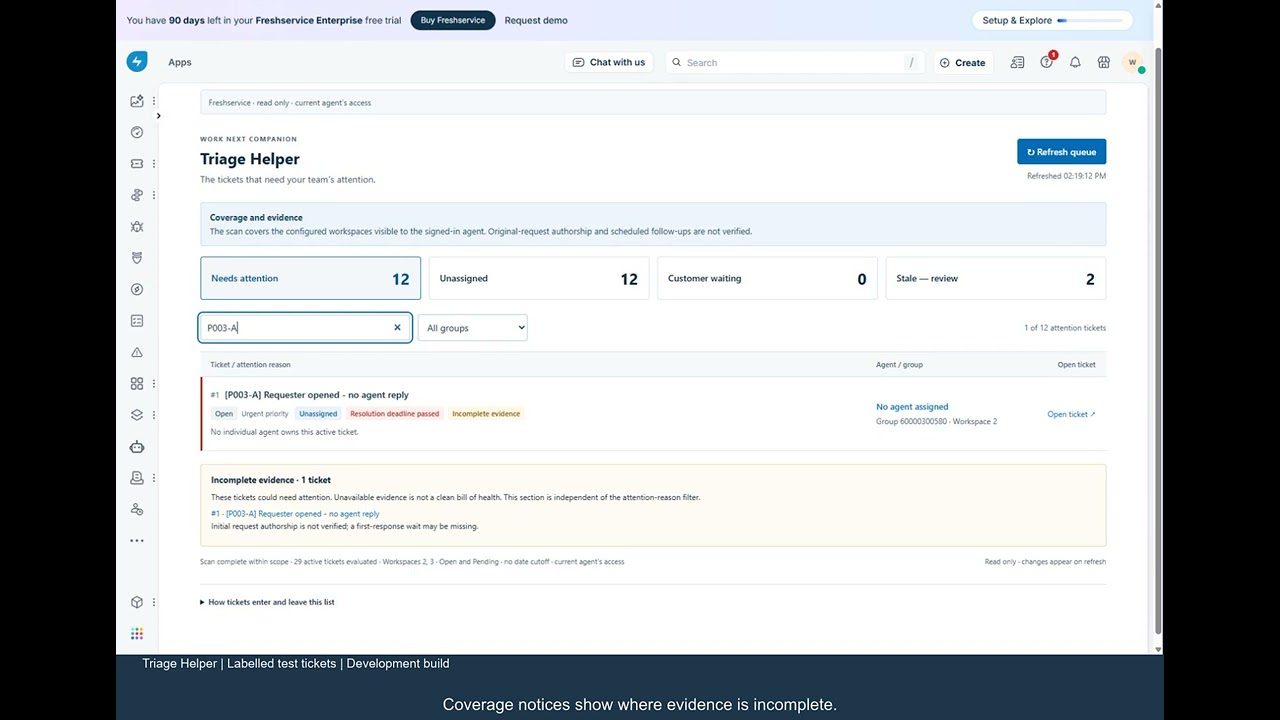
Some tickets have no individual owner. Others have a requester waiting for a response or an agent update that has gone quiet. Triage Helper brings those review questions into one focused workflow.
Identify eligible tickets that remain unassigned, even when a group is selected.
See why a conversation or agent update may need another look instead of relying only on ticket age.
Filter by attention type or group, search by ticket ID or subject, then open the native ticket to act.
See the existing demonstration using labelled test tickets on our YouTube channel. The video illustrates the 0.3.0 release scope; it is not a demonstration of the later five-view update.
Watch Triage Helper on YouTubeWork Next helps an agent choose from assigned work. Triage helps supervisors review unassigned tickets and follow-ups.
No. Triage is read-only. It does not assign, edit, reply to or close tickets; you investigate and act in Freshservice.
Version 0.3.0 supports the default Freshservice ITSM Open and Pending statuses. Waiting and stale thresholds use calendar hours, not business hours. Scan limits and unavailable evidence are shown.
No. It is not comprehensive first-response tracking or automated escalation. A partial scan is not the whole tenant, and recorded deadlines are not a guarantee about Freshservice’s SLA timer.
Launch in preparation. Not yet available to install. Ask about availability.